A Beginner’s Guide to Visual Scripting Tools in Game Development
Game DevelopmentIntroduction
Game development has traditionally required a strong understanding of programming languages like C++, C#, or Python. However, not every aspiring game developer is a seasoned coder. Visual scripting tools offer a more accessible alternative, allowing creators to build complex game logic using intuitive, node-based systems. These tools are especially useful for designers, artists, or beginners who want to focus more on creativity without getting bogged down by syntax.
In this blog post, we’ll explore some of the most popular visual scripting tools available for game engines, including Playmaker, Unreal Engine’s Blueprints, NodeCanvas, and Game Creator for Unity. Each tool brings something unique to the table, catering to different needs and skill levels.
1. Playmaker for Unity
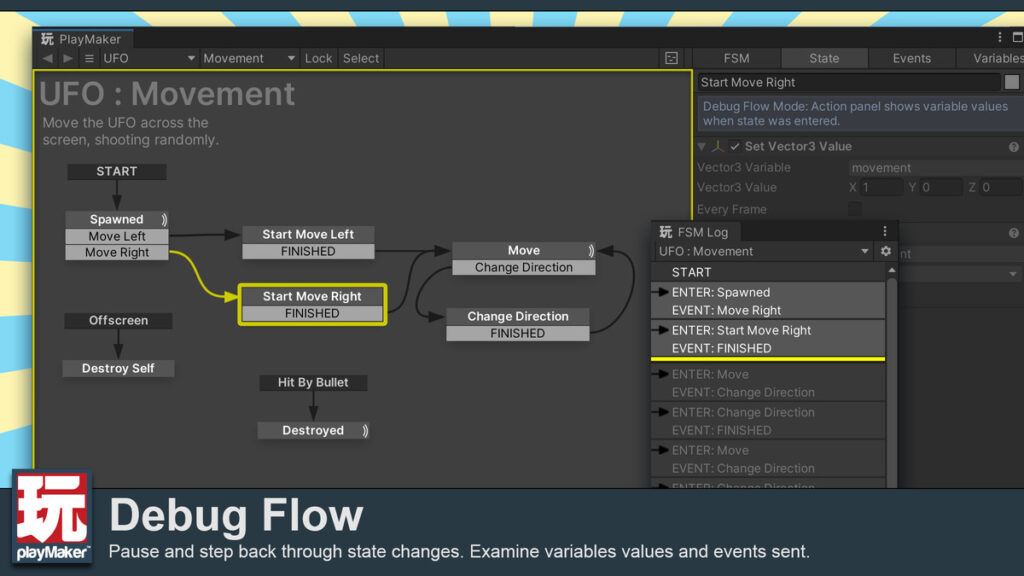
Overview: Playmaker is a powerful and widely-used visual scripting tool for Unity. It allows developers to create complex game logic without writing a single line of code. Playmaker uses a state machine approach, where game behaviors are defined by interconnected states and transitions.
Key Features:
- State Machines: Easily create and manage finite state machines (FSM) to control game objects and behaviors.
- Event System: Trigger events based on player actions or game conditions.
- Asset Store Integration: Playmaker works seamlessly with other Unity assets, allowing for easy integration into existing projects.
Who Is It For? Playmaker is ideal for game developers who are familiar with Unity but prefer a visual approach to scripting. It’s especially useful for designers who want to prototype and iterate quickly without relying on a programmer.
Playmaker on Unity Asset Store
2. Blueprints for Unreal Engine
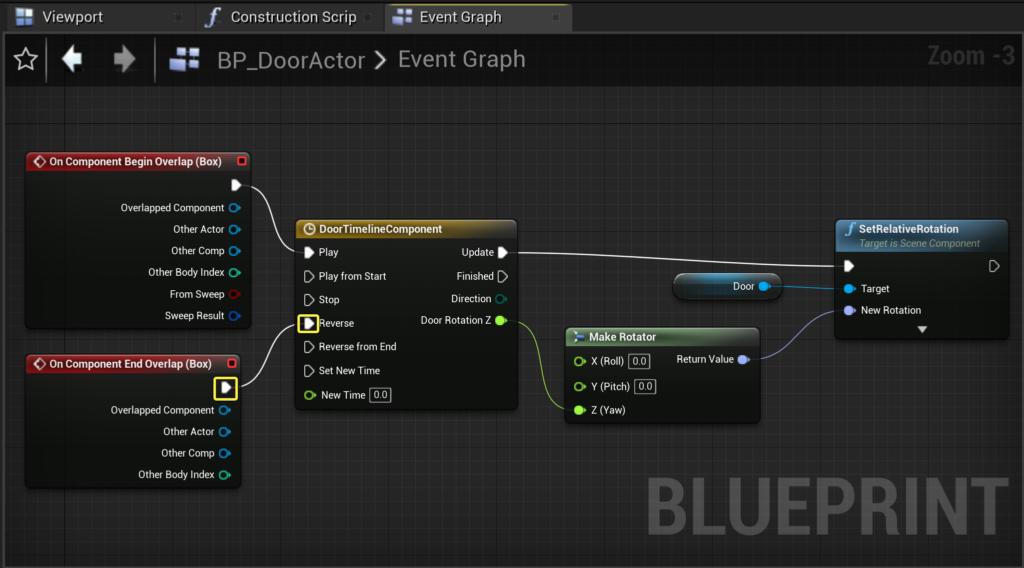
Overview: Blueprints is Unreal Engine’s built-in visual scripting system, designed to empower developers to create complex gameplay mechanics, interactions, and more without writing code. It’s deeply integrated into Unreal Engine, making it a powerful tool for both prototyping and full game development.
Key Features:
- Node-Based System: Create game logic by connecting nodes, which represent functions, variables, and events.
- Extensive Library: Access a vast array of pre-built nodes to handle everything from AI behavior to UI interactions.
- Debugging Tools: Blueprints include powerful debugging features, allowing developers to step through logic and visualize data flow.
Who Is It For? Blueprints is perfect for developers using Unreal Engine who want to take advantage of its full feature set without delving into C++. It’s suitable for both beginners and experienced developers who appreciate the flexibility of visual scripting.
3. NodeCanvas for Unity
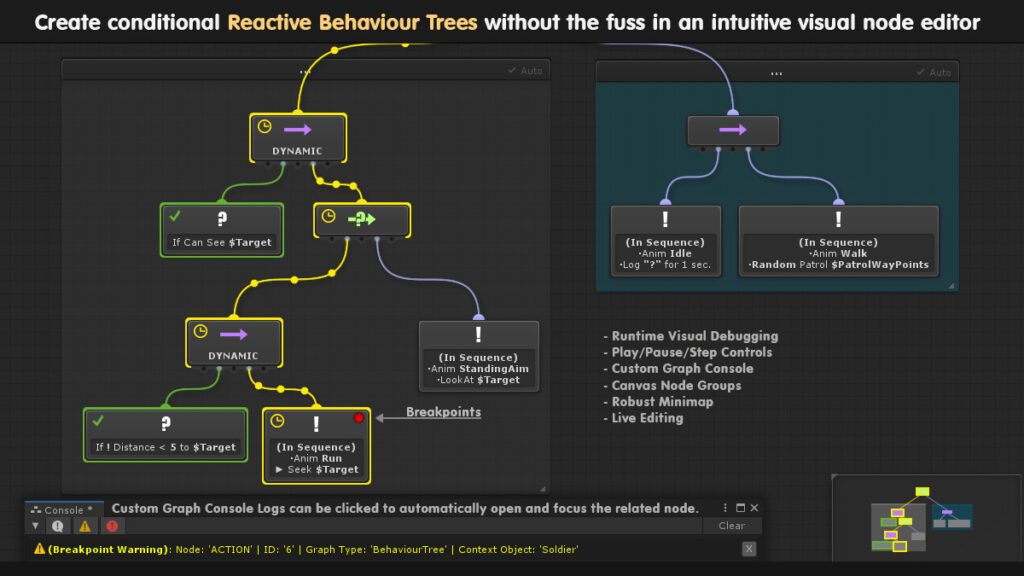
Overview: NodeCanvas is a comprehensive visual scripting and behavior tree editor for Unity. It’s designed for creating complex AI behaviors, task automation, and custom game logic through an intuitive node-based interface.
Key Features:
- Behavior Trees: Develop sophisticated AI behaviors using a visual behavior tree editor.
- Dialogue Trees: Create interactive dialogue systems and branching narratives.
- Task System: Implement reusable and customizable tasks to streamline development.
Who Is It For? NodeCanvas is ideal for developers focused on AI development or complex game systems. It’s a great choice for those who need a robust tool to handle intricate gameplay mechanics and interactions.
NodeCanvas on Unity AssetStore
4. Game Creator for Unity
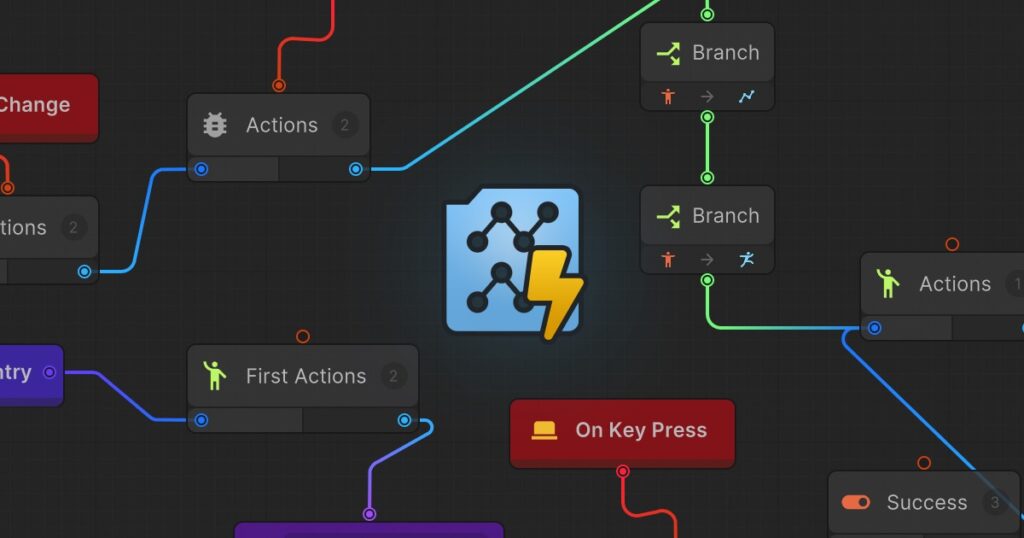
Overview: Game Creator is a modular visual scripting tool for Unity that aims to simplify game development by offering ready-to-use features and components. It’s designed to be user-friendly, with an emphasis on rapid development and ease of use.
Key Features:
- Drag-and-Drop System: Quickly build game mechanics and logic using a drag-and-drop interface.
- Modular Structure: Extend functionality through add-ons like Quests, Dialogue, and Inventory modules.
- Conditions and Triggers: Set up game logic based on specific conditions and trigger events when those conditions are met.
Who Is It For? Game Creator is perfect for beginners or developers who want to create games quickly without getting into the complexities of traditional coding. Its modular approach makes it easy to build and expand projects as needed.
Game Creator on Unity AssetStore
5. Bolt for Unity
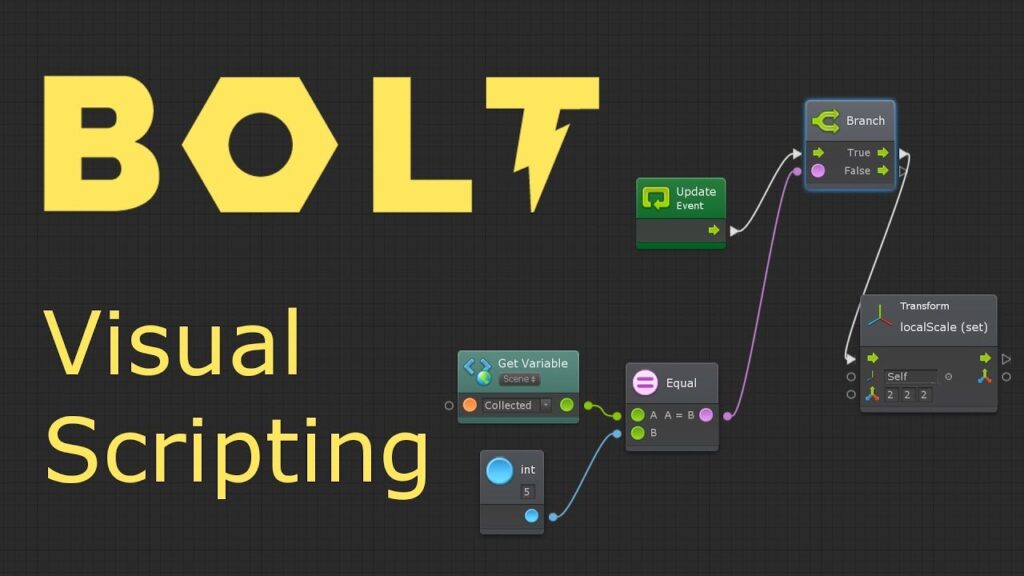
Overview: Bolt is another popular visual scripting tool for Unity, known for its versatility and user-friendly interface. It provides a node-based environment where developers can create game logic, animations, and more without needing to write code.
Key Features:
- Flow Graphs: Build game logic using flow graphs that visually represent the flow of execution.
- State Machines: Similar to Playmaker, Bolt allows developers to create state machines for managing game behaviors.
- Live Editing: Modify and test your game logic in real-time, making it easier to iterate and refine gameplay.
Who Is It For? Bolt is well-suited for developers who want a versatile and powerful visual scripting tool that integrates seamlessly with Unity. It’s a great choice for both beginners and experienced developers looking to enhance their workflow.
Conclusion
Visual scripting tools have revolutionized game development, making it more accessible to a broader audience. Whether you’re an artist, designer, or a newcomer to game development, these tools offer a way to bring your ideas to life without the need for extensive coding knowledge. By choosing the right tool for your project—be it Playmaker, Blueprints, NodeCanvas, Game Creator, or Bolt—you can streamline your development process and focus more on the creative aspects of game design.
As the industry continues to evolve, visual scripting tools will likely become even more powerful and versatile, further lowering the barriers to entry for game development. So, dive in, experiment with these tools, and start creating the games you’ve always dreamed of!